
A withdrawal is the process of transferring funds from your exchange account to an external wallet, another platform, or another wallet within the same platform.
Step 1: Log In
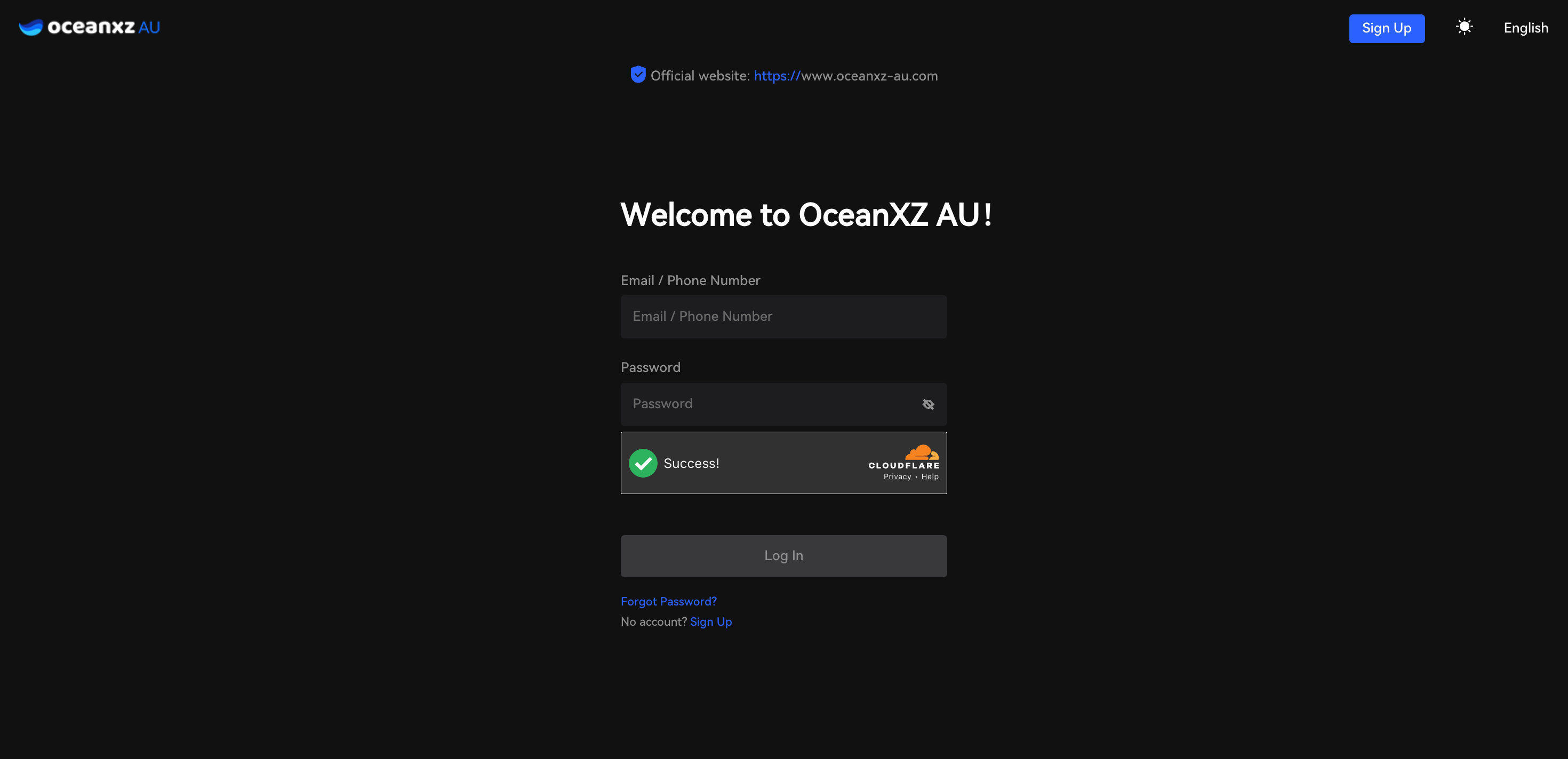
Log into your OceanXZ account.
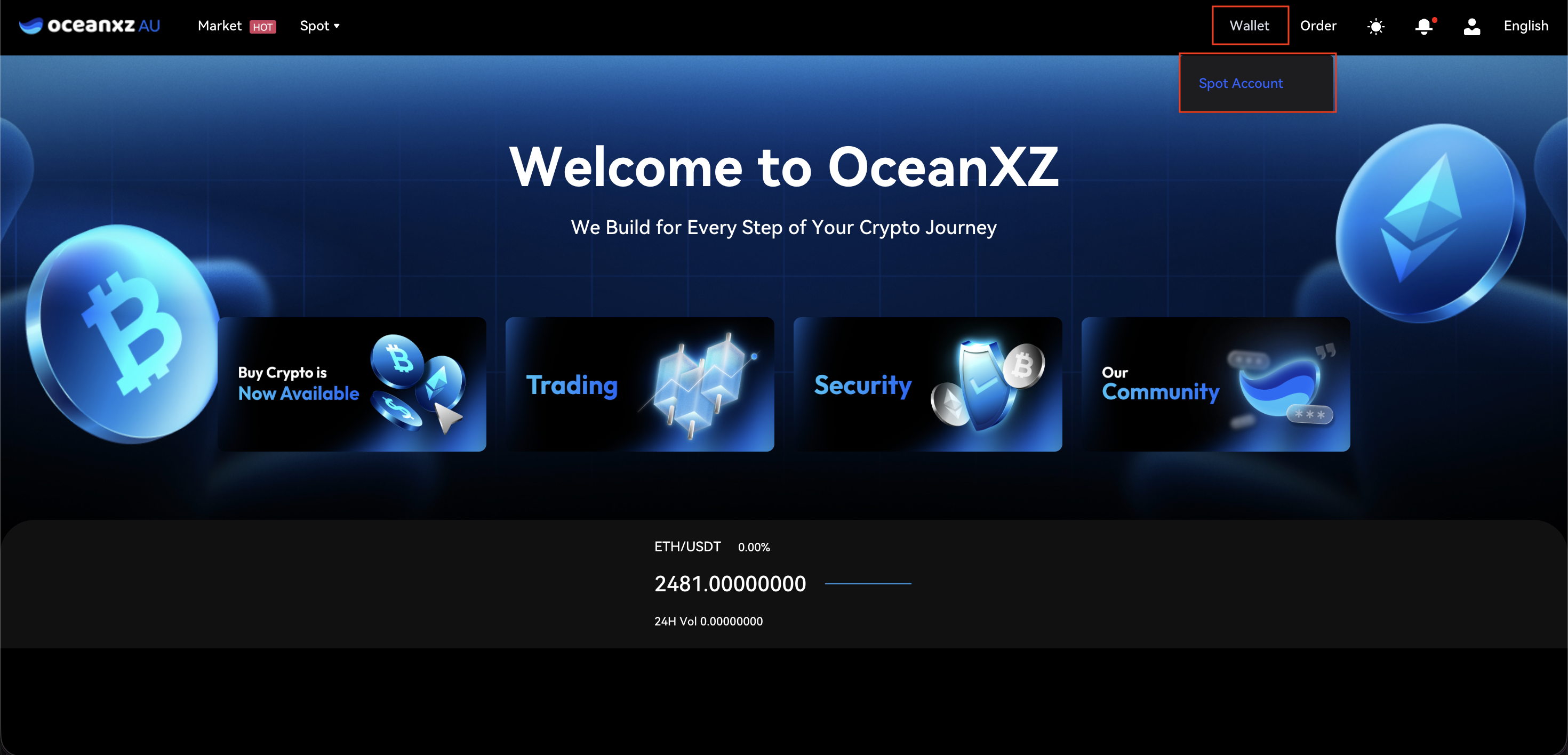
Step 2: Go to Wallet → Spot Account
In the top navigation bar, click "Wallet", then select "Spot Account".
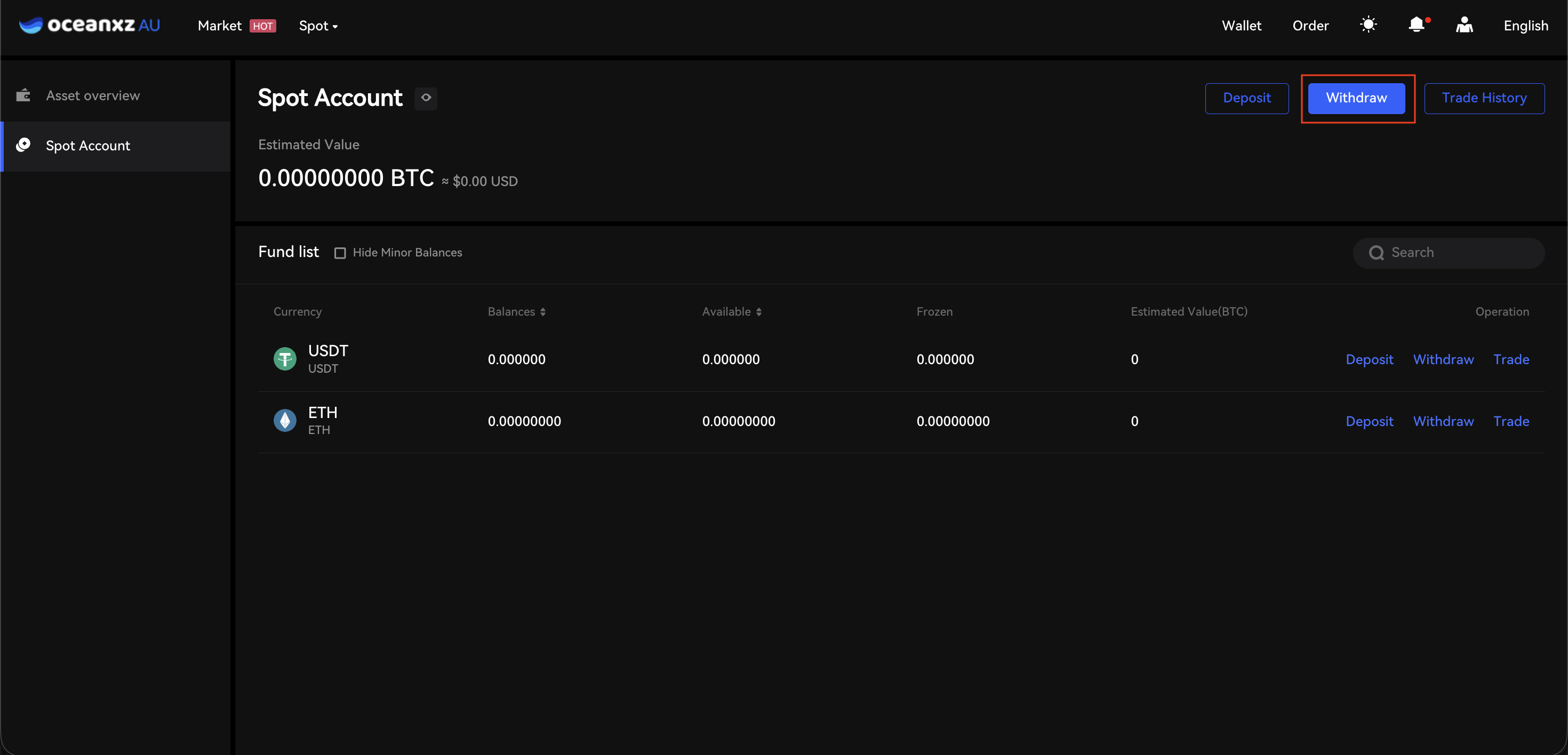
Step 3: Click "Withdraw"
On the Spot Account page, click the "Withdraw" button in the upper-right corner (next to the Deposit and Trade History buttons).
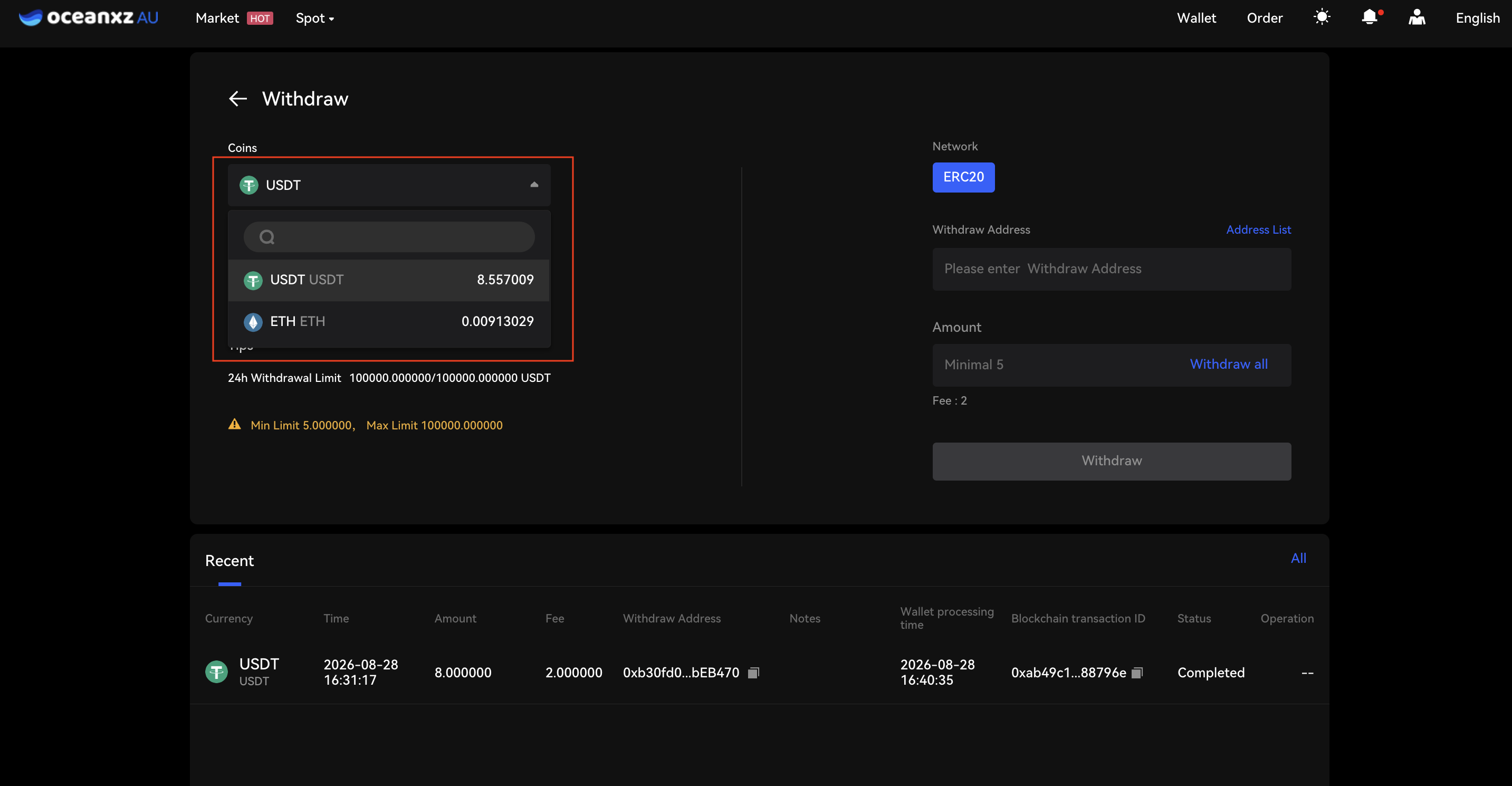
Step 4: Select the Coin, Network, and Enter Withdrawal Details
- Select or search for the coin you wish to withdraw (e.g., USDT, ETH) from the list.
- The system will display the supported network (e.g., ERC20) — make sure it matches the destination network that will receive the funds.
- Enter the destination withdrawal address, or select one from the Address List.
- Enter the amount you want to withdraw (subject to the minimum required by the system). The withdrawal fee will also be shown.
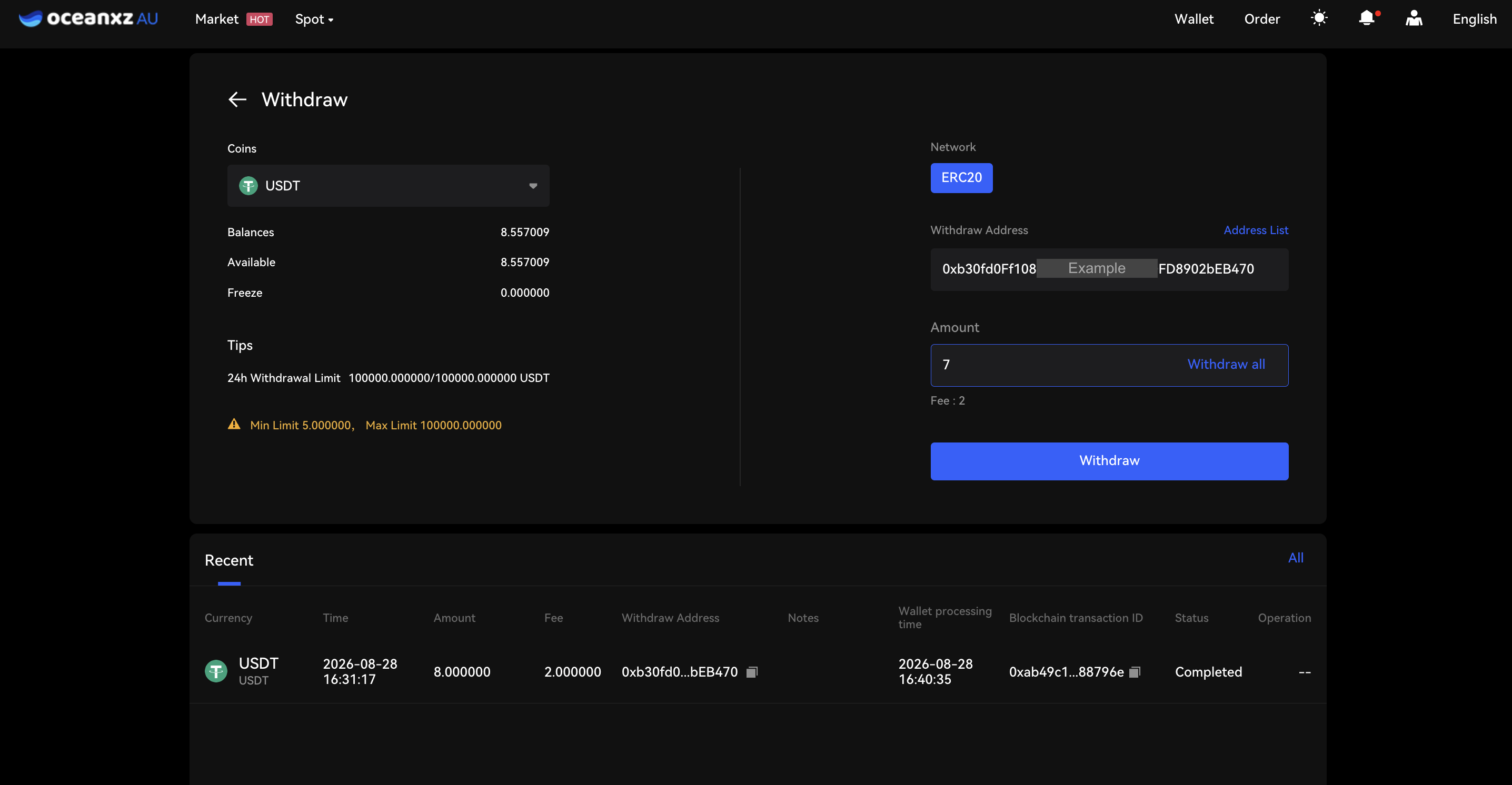
Step 5: Confirm Withdrawal Details
- Click "Withdraw." A "Confirm Withdraw" window will appear, summarizing the amount, network fee, and destination address — double-check everything, then click "Confirm."
⚠️ Once a withdrawal is submitted to the blockchain, the assets cannot be retrieved. Please verify the address and network carefully before confirming.
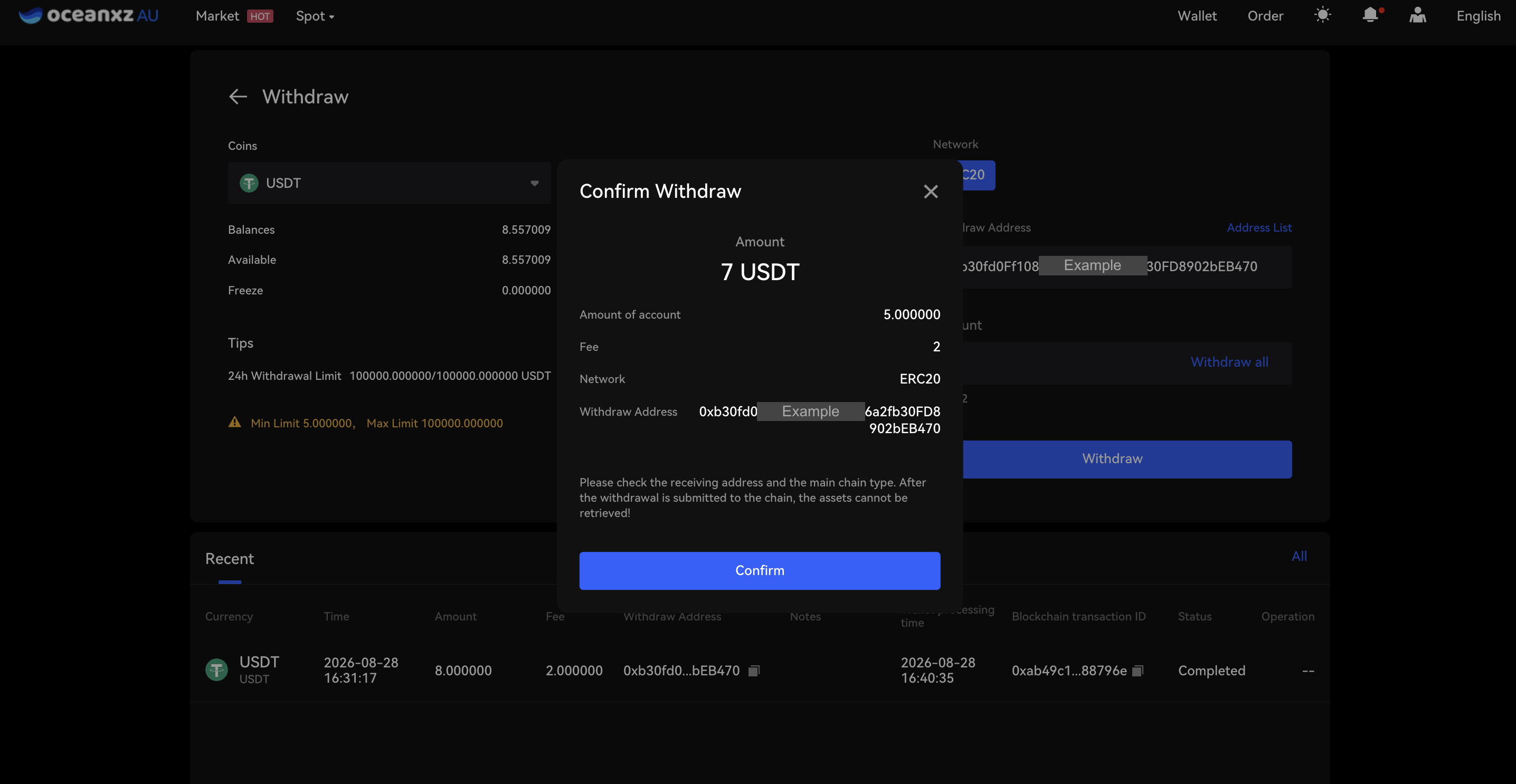
Step 6: Complete Security Verification
- Enter the following verification codes:
- SMS verification code (click "Get Code" to receive it)
- Google verification code (from Google Authenticator)
- Then click "Confirm."
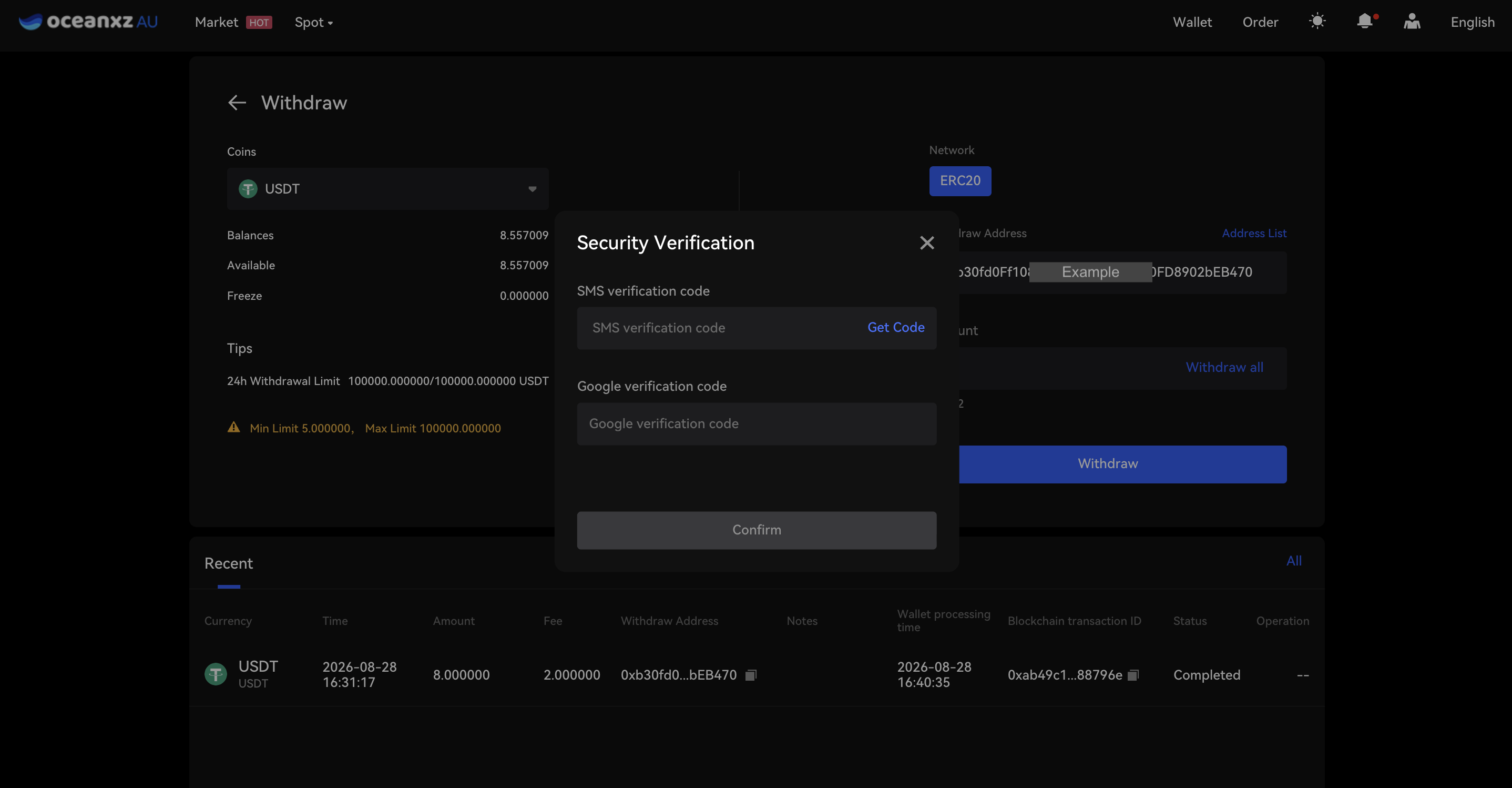
Step 7: Track Your Withdrawal Status
- Check the status of your withdrawal in the "Recent" section (Recent Withdrawals) below the Withdraw page. The status will show as "Not verified" while pending (you can click "Cancel" if it hasn't been confirmed yet), and will change to "Completed" once processed.
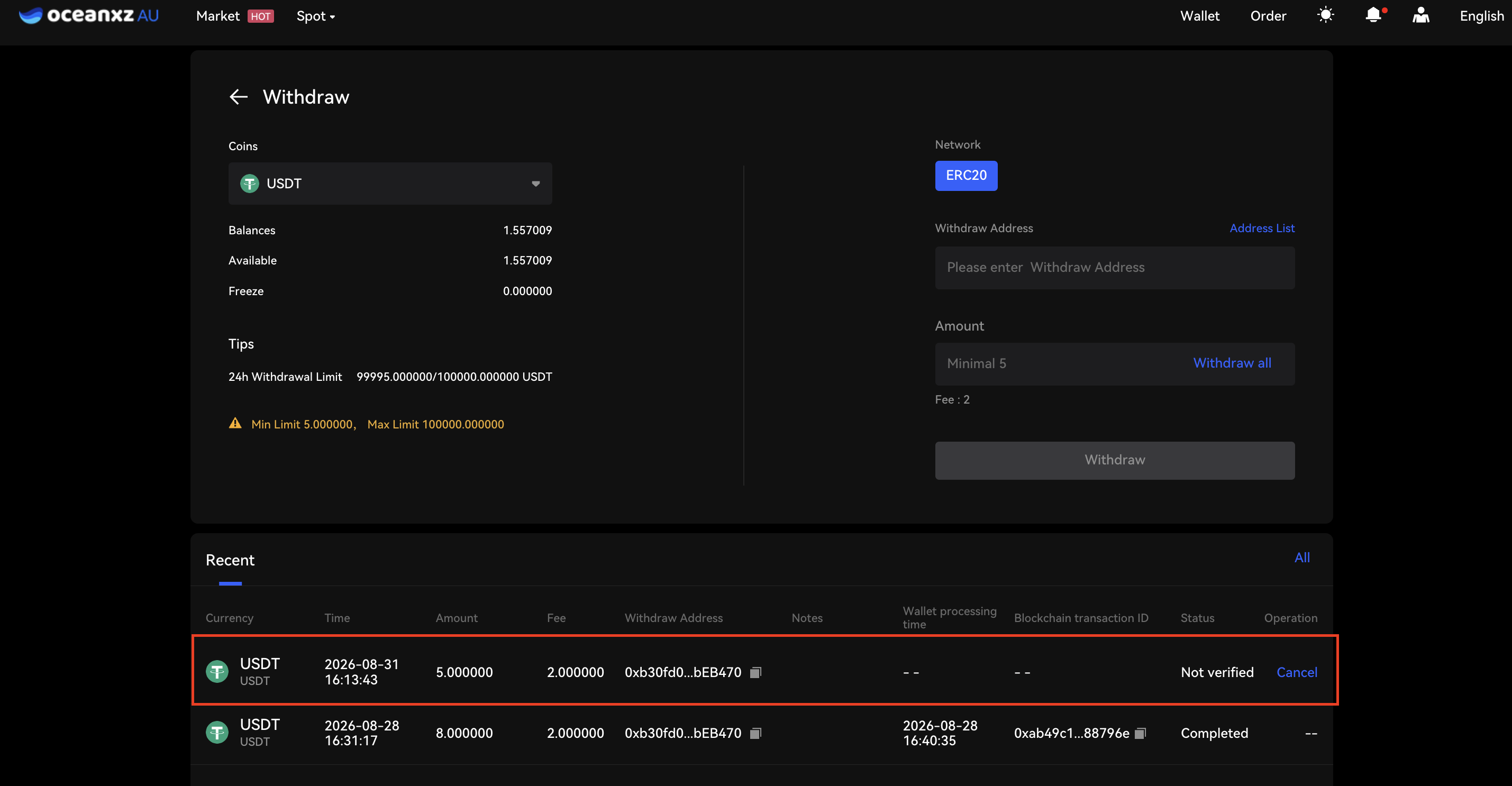
Comments
0 comments
Please sign in to leave a comment.