
Depositing crypto allows you to fund your account and start trading. Please follow the steps below carefully.
Step 1: Log in to your account and navigate to Wallet → Spot Account.

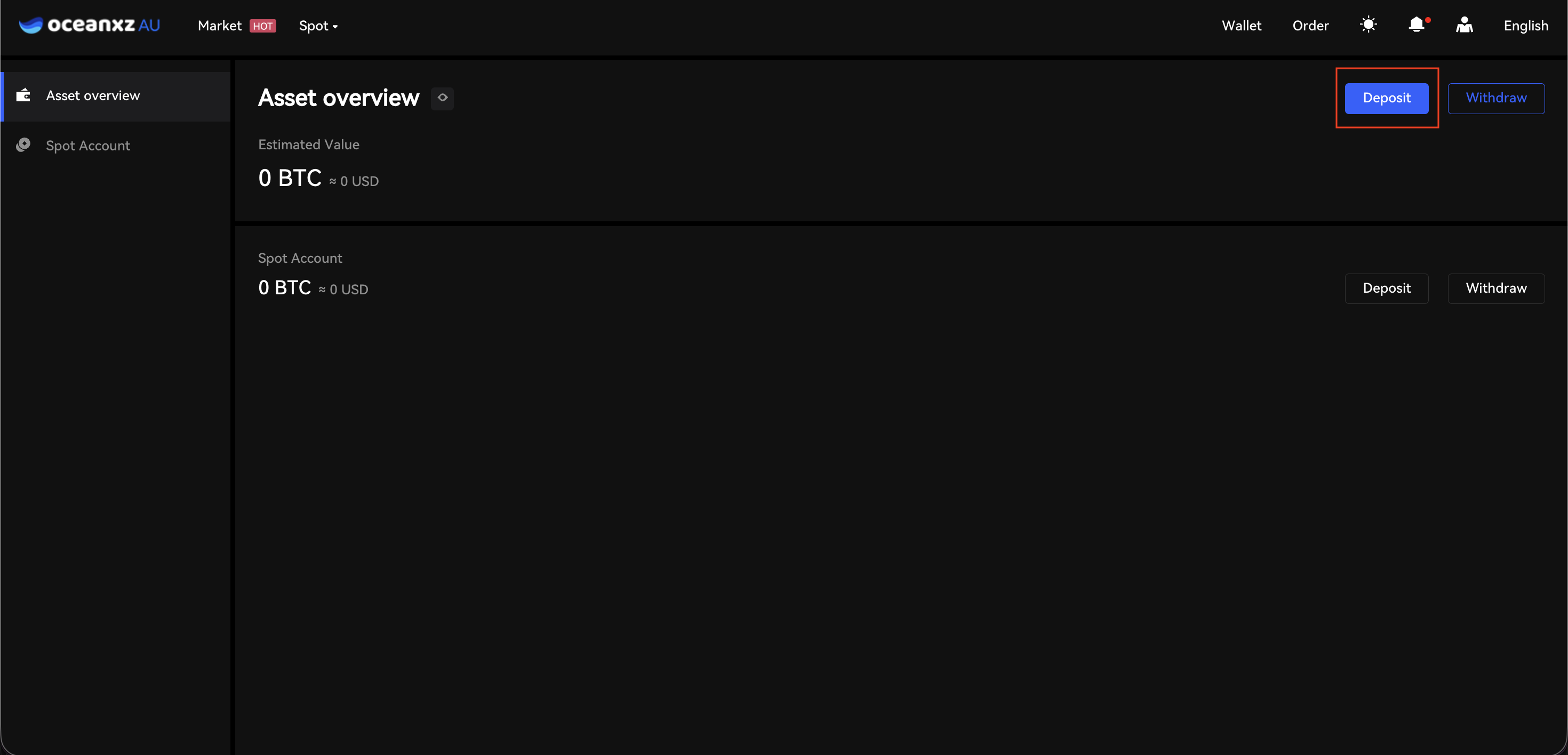
Step 2: Click Deposit
- Click the "Deposit" button located in the top-right corner of the Asset Overview page (next to the "Withdraw" button, as shown in the screenshot). Alternatively, you can click the "Deposit" button next to your Spot Account.
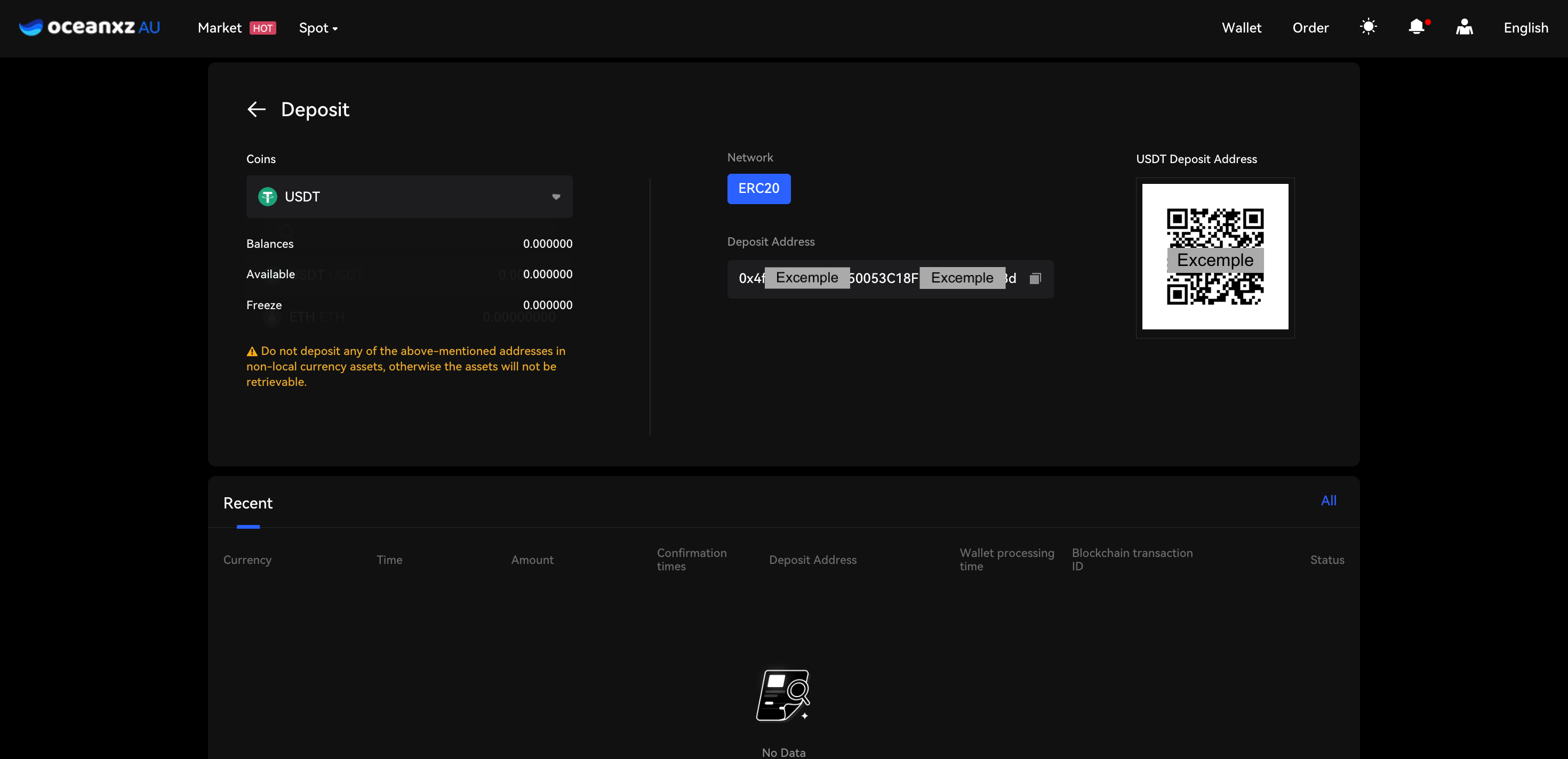
Step 3: Select the Coin and Choose the Correct Network
- Select or search for the coin you wish to deposit.
- Choose the correct network carefully.
- Copy the deposit address or scan the QR code, then use it on the sending platform to transfer your funds.
- Ensure the selected network matches the withdrawal network from the sending platform. Transactions sent via the wrong network may result in permanent loss of funds.
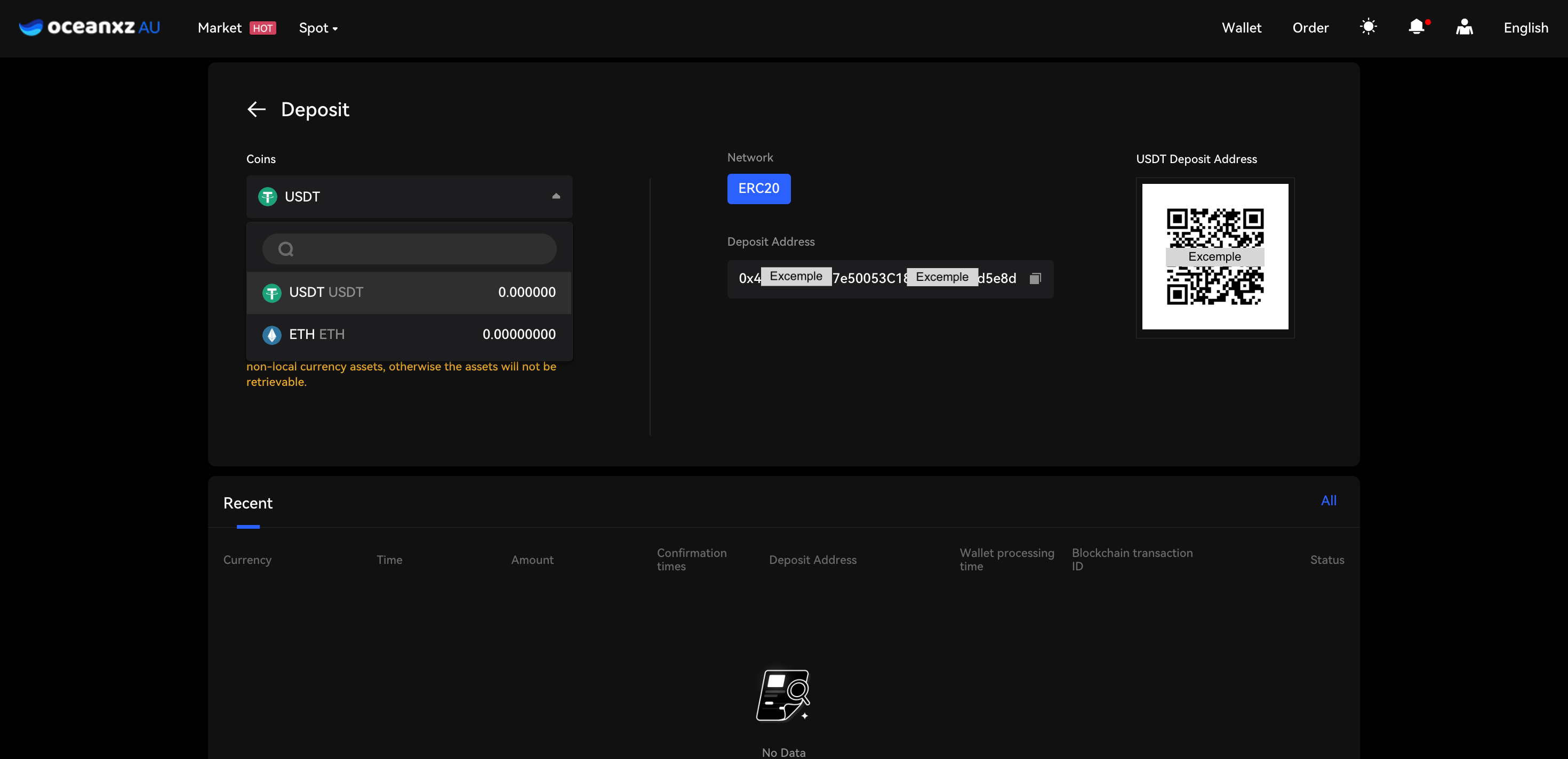
Step 4: Once the transfer is completed, you can check the status under Recent Deposit Records.
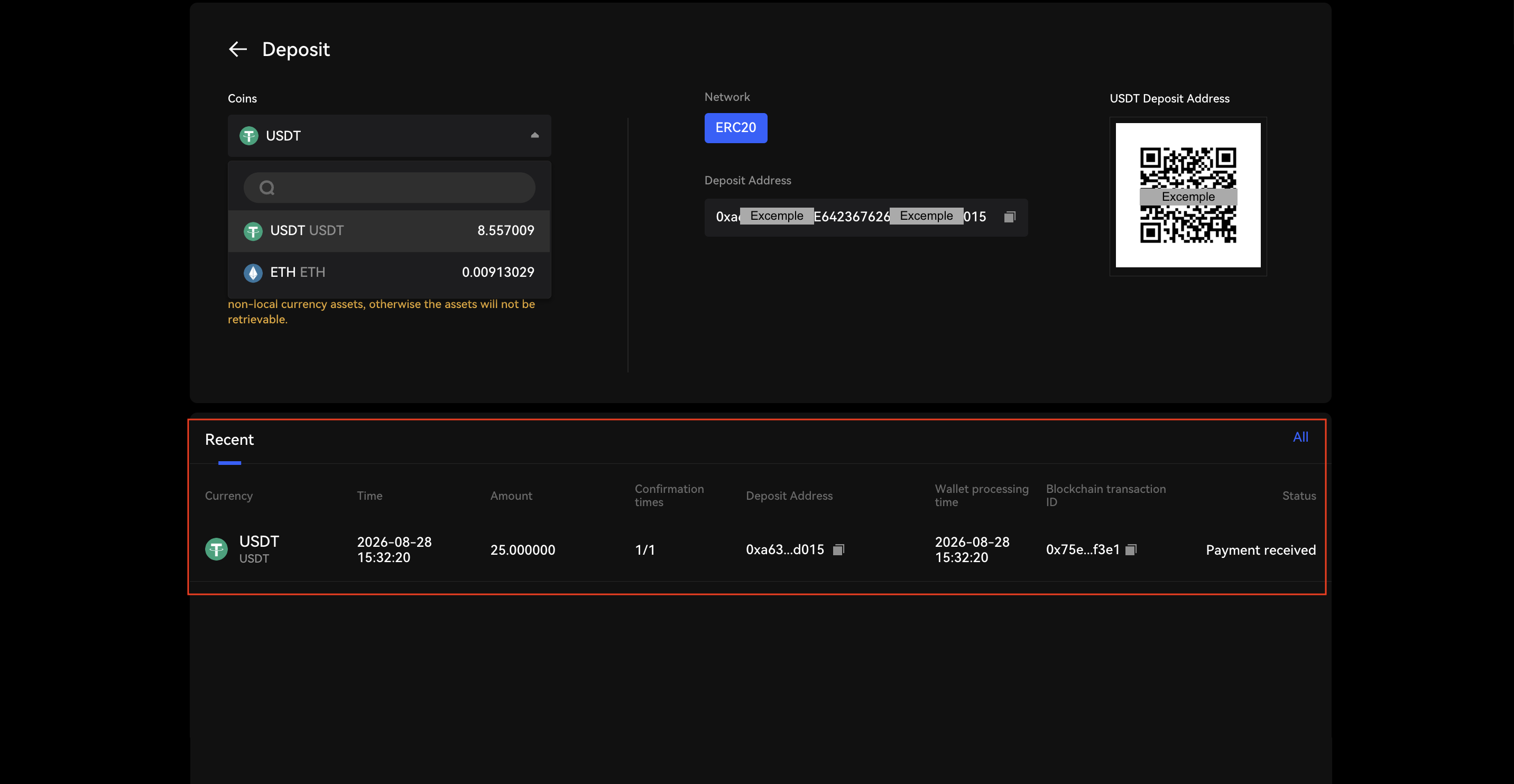
Select the Correct Network
Make sure the selected network matches the sending network.
Example:
- USDT (ERC20) → Select ERC20
- USDT (TRC20) → Select TRC20
Sending funds via the wrong network may result in permanent loss.
Important Reminders
- Always double-check the wallet address before confirming the transfer
- Ensure the correct network is selected
- For first-time transfers, consider sending a small test amount
Comments
0 comments
Please sign in to leave a comment.