
What is Spot Trading?
A spot trade is a transaction between a buyer and a seller at the current market price (spot price).
- Market Order → Trade instantly at current price
- Limit Order → Set your preferred price and wait until the market reaches it
Before placing your first trade
You need funds in your Spot account. You can:
- Buy crypto via OTC
- Deposit crypto to your Spot wallet
Spot Trading Page Overview
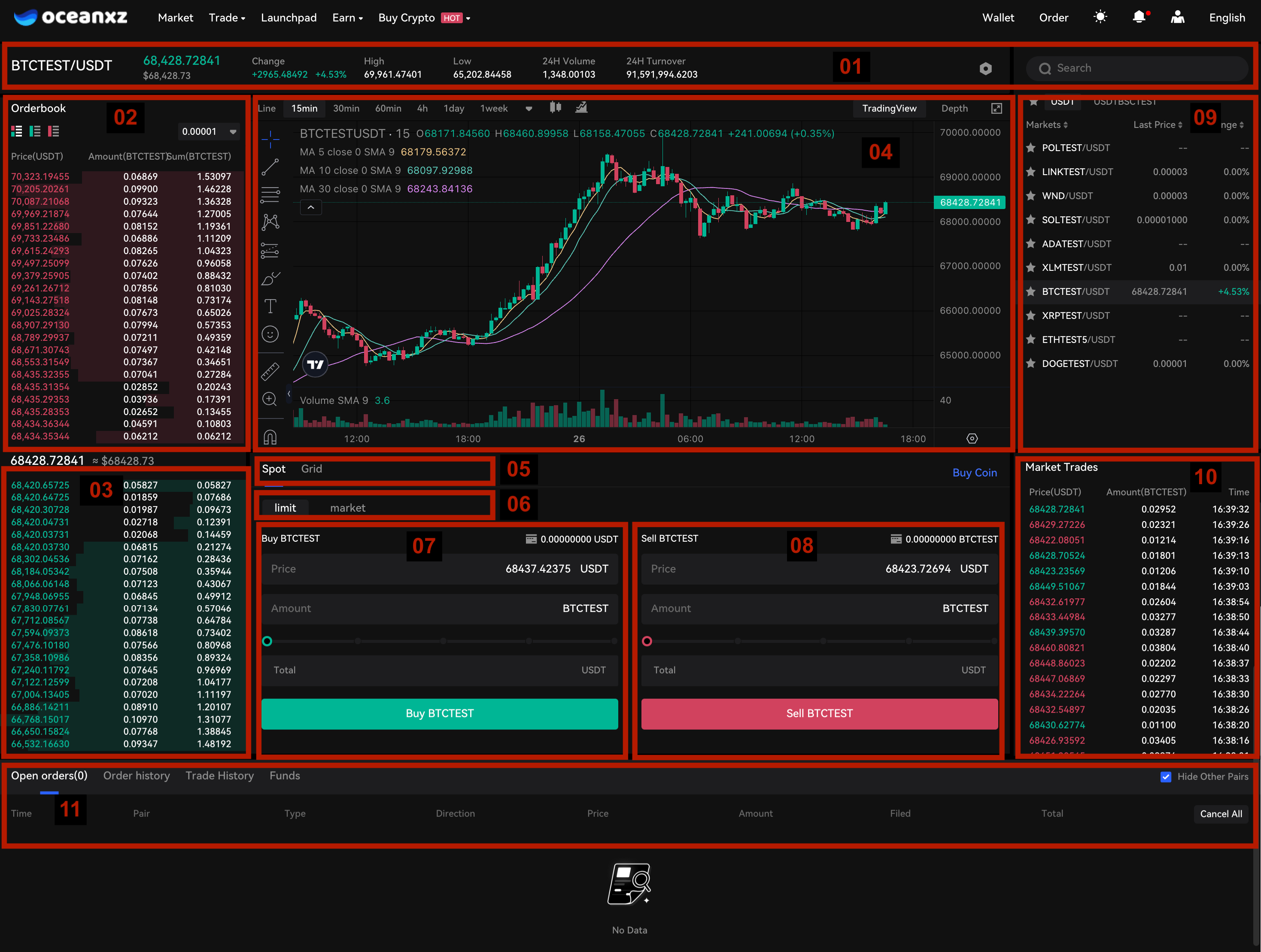
On the trading page, you will see:
1.24h Trading Volume
2.Sell Order Book
3.Buy Order Book
4.Candlestick Chart & Market Depth
5.Trading Type (Spot / Grid)
6.Order Type (Limit / Market)
7.Buy Section
8.Sell Section
9.Trading Pairs
10.Latest Transactions
11.Open Orders / Order History
How to Spot Trading
Step 1: Fund Your Spot Account
- Before trading, make sure you have funds in your Spot account.
- How to a deposit? View the step-by-step guide here.
Step 2: Choose a Trading Pair
- Go to [Spot Trading] → Select your preferred trading pair (e.g., BTC/USDT).
Step 3: Choose Order Type
- Limit Order – Set your desired price.
- Market Order – Trade instantly at current market price.
Step 4: Choose Buy or Sell
- Select whether you want to Buy or Sell.
Step 5: Enter Amount & Confirm
Input the amount or use the percentage slider, then click [Buy] or [Sell] to confirm your order.
Step 6: Track Your Order
Check:
- Open Orders
- Order History
- Trade History
How to Cancel a Trading Order
You can only cancel orders that are still open and have not been fully executed.
Steps
- Go to the Trading page and select the trading pair where you placed the order
- Scroll down to the Open Orders section
- Select the buy or sell order you want to cancel
- Click Cancel to cancel the order
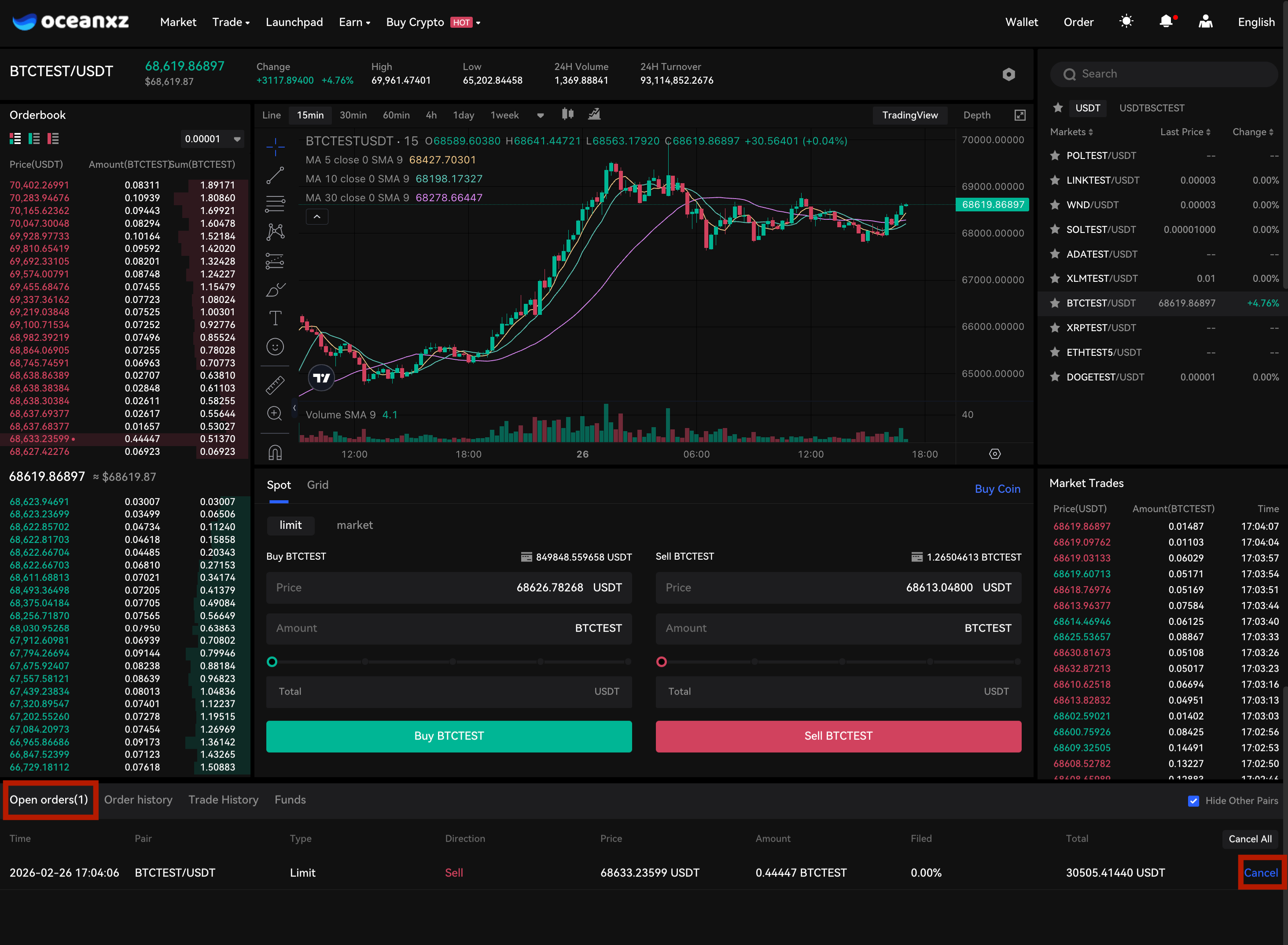
Result
The order will be canceled immediately, and any unused funds will be returned to your wallet.
Notes
- Market orders cannot be canceled because they are executed instantly
- If an order is partially filled, only the remaining unfilled portion can be canceled
Comments
0 comments
Please sign in to leave a comment.