
To enhance account security and protect your assets, OceanXZ requires users to enable at least one verification method.
Phone Verification (SMS) and Google Authenticator add an extra layer of protection to your account. This helps prevent unauthorized access, password changes, and withdrawals.
Enabling at least one verification method ensures your account remains secure and allows you to perform important actions such as changing your password.
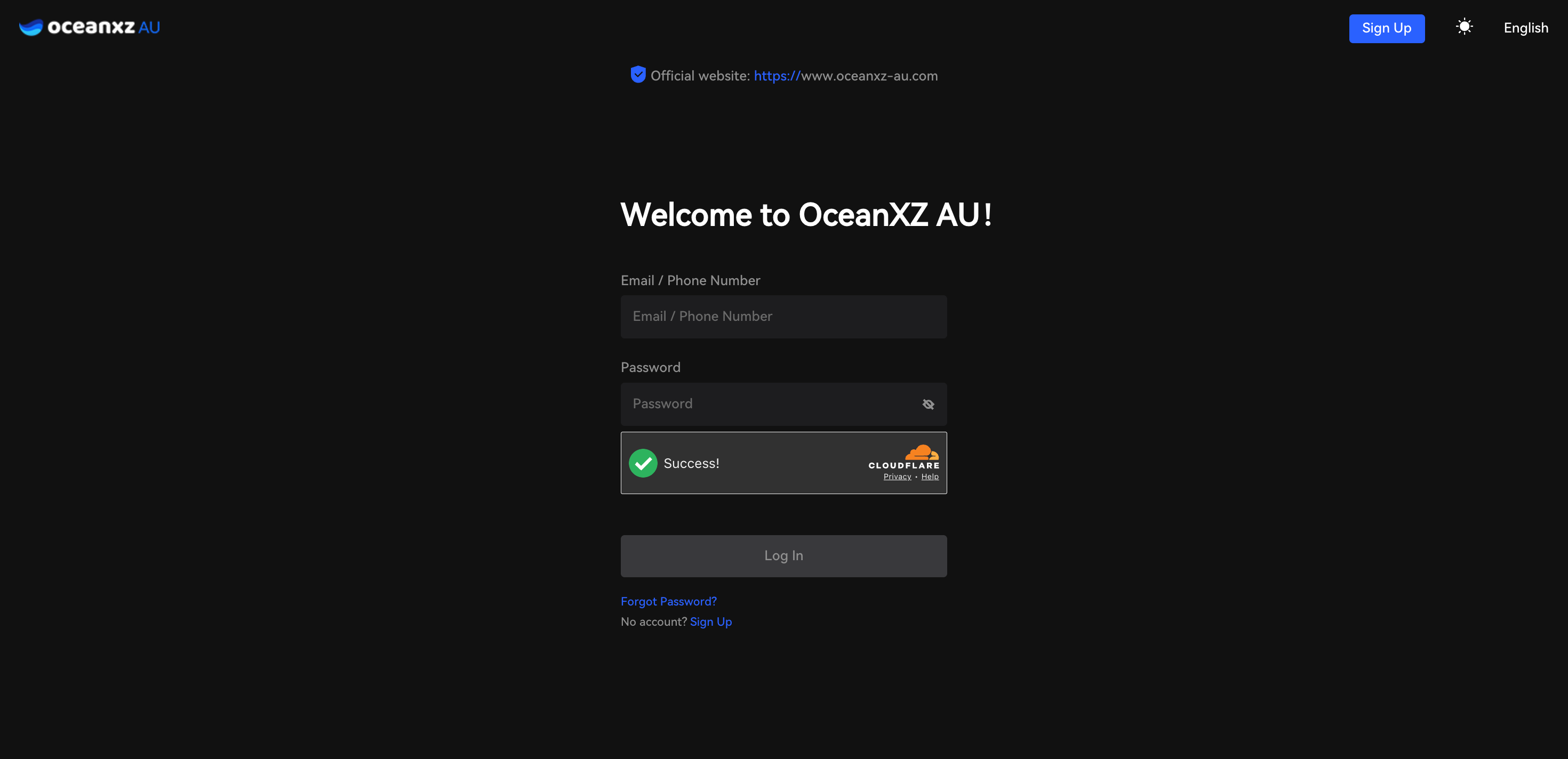
1.Log in to your account.
Sign in using your registered email or phone number on the OceanXZ website.
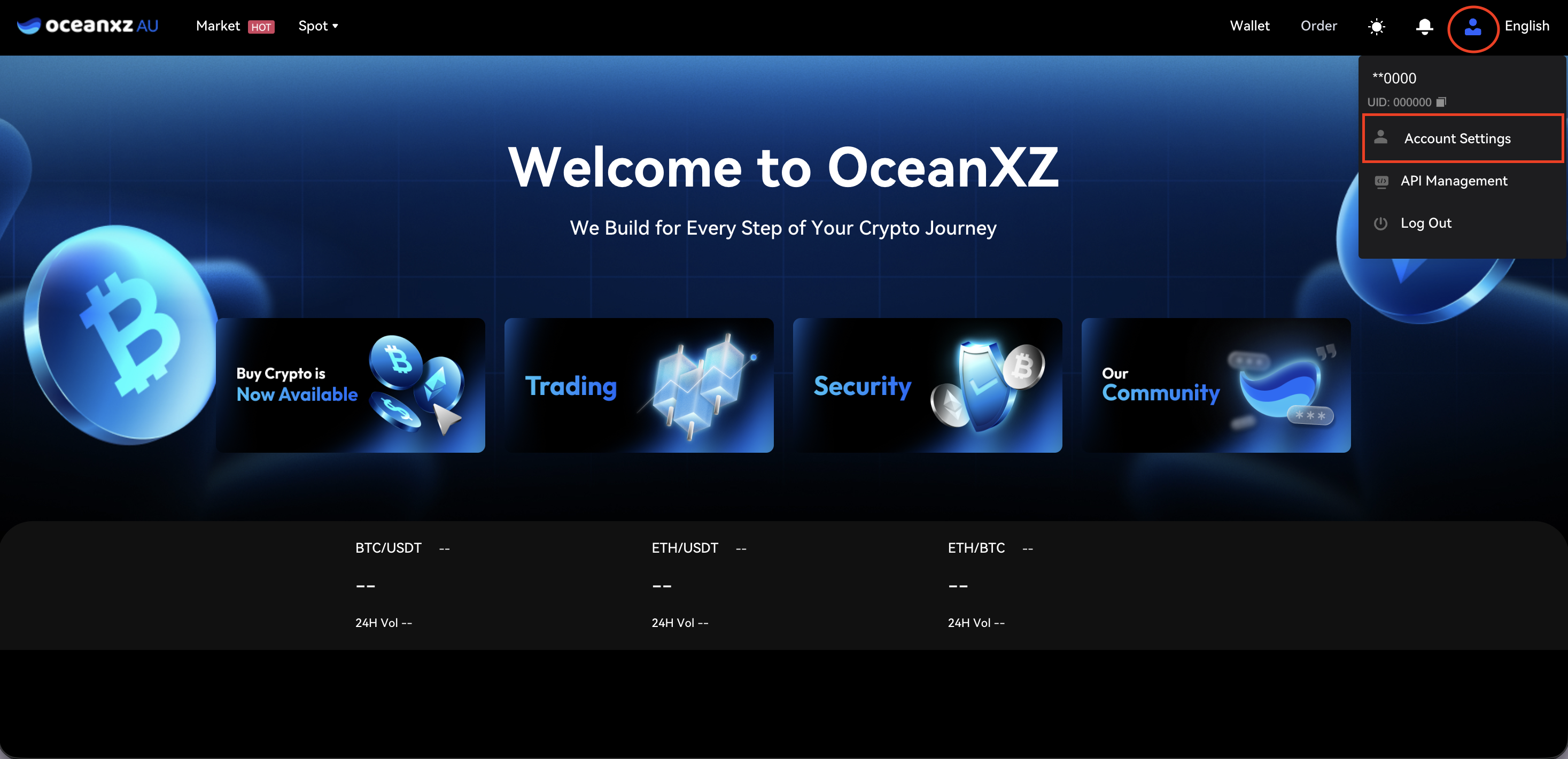
2.Go to Account Settings.
Click the profile icon at the top-right corner and select Account Settings.
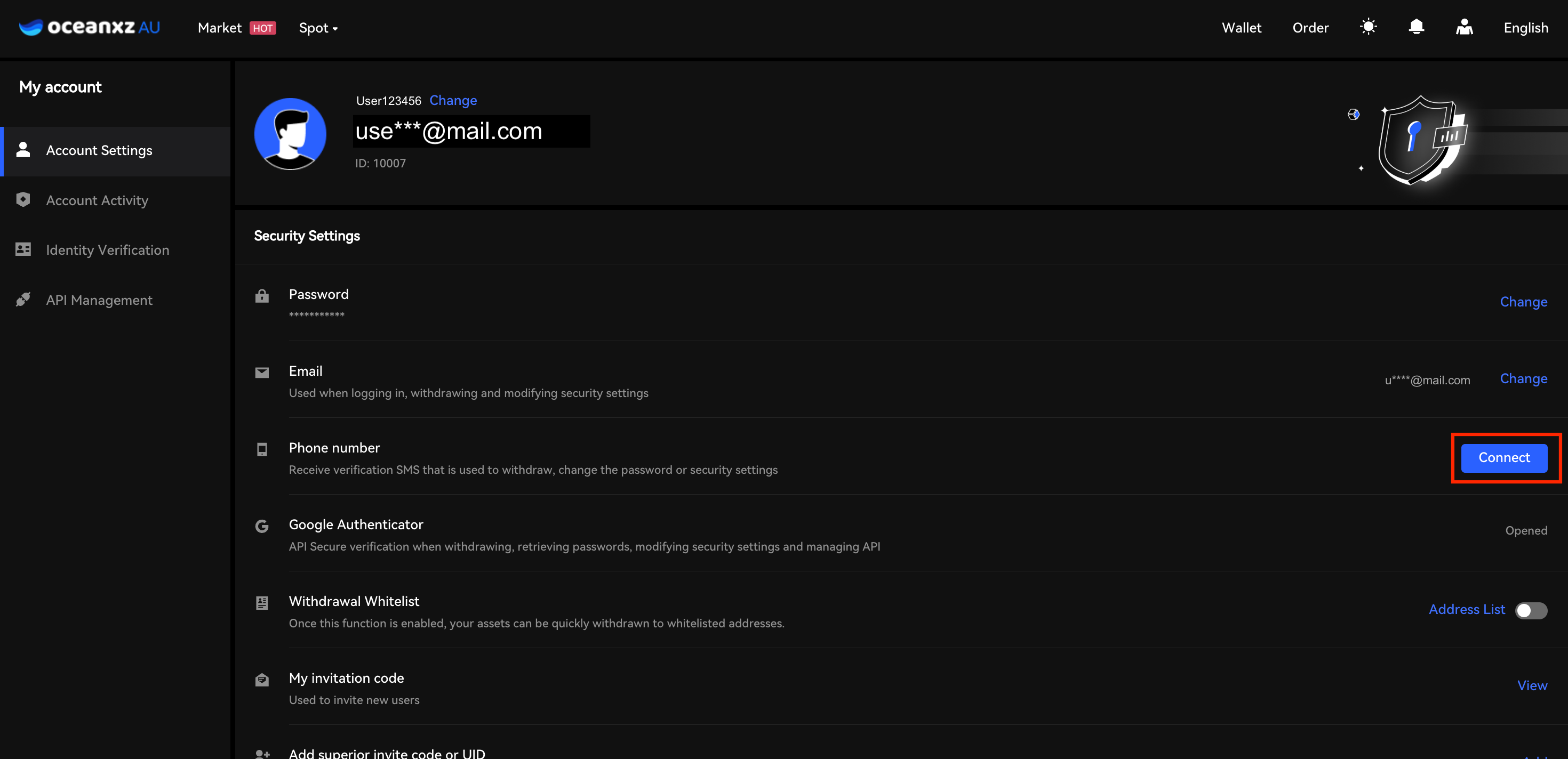
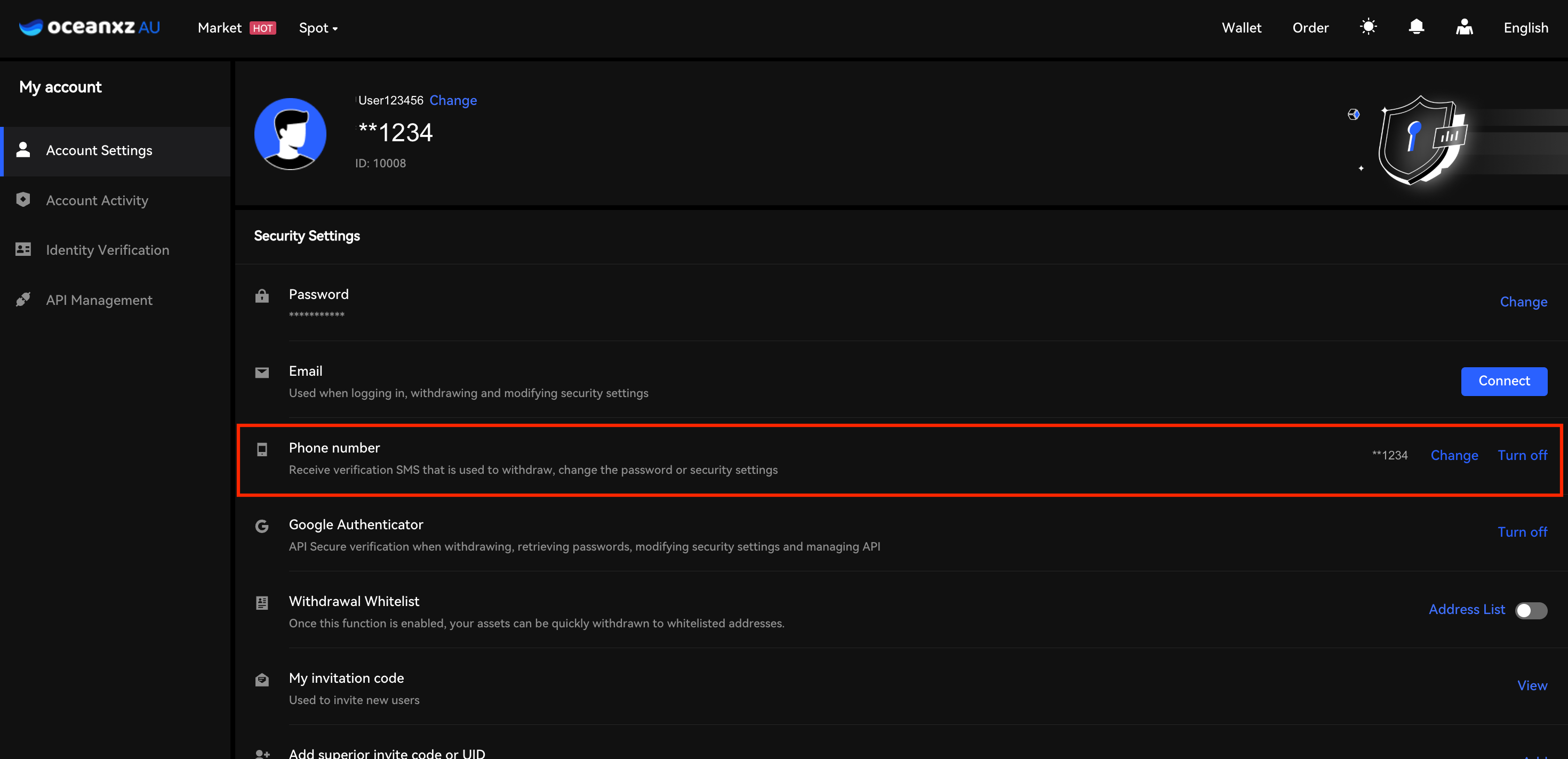
3.Under Security Settings, find Phone Number and click Connect.
Locate the Phone Number section and click Connect on the right-hand side.
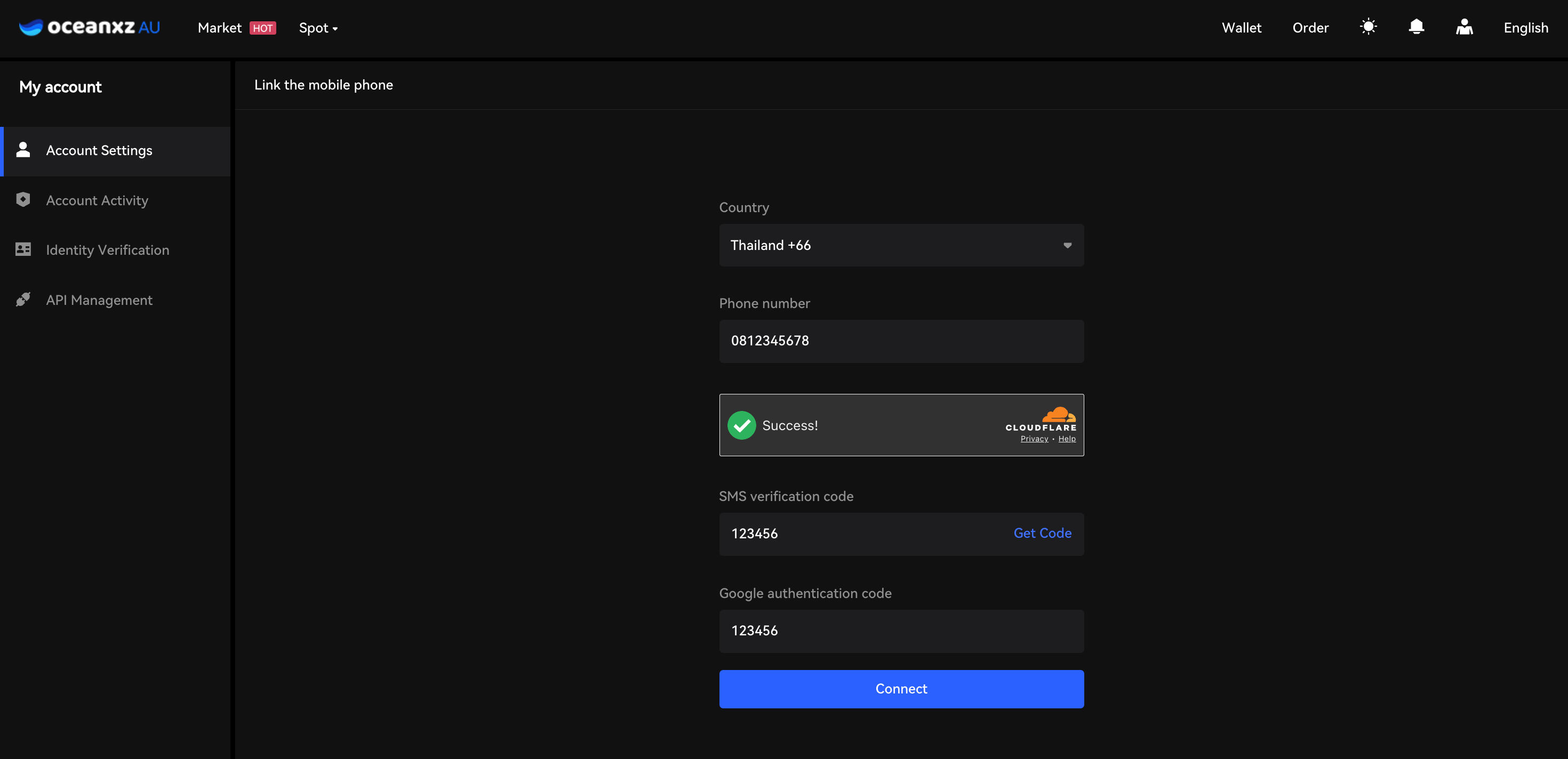
4.Enter your phone number and verify it.
Select your country code, enter your mobile number, click Get Code, and input the SMS verification code (OTP) sent to your phone.
5.Verification completed successfully.
Your phone number will appear under Phone Number, and the button will change to Change, confirming successful verification.
Comments
0 comments
Please sign in to leave a comment.